
How to Scale Facebook Ads Without Killing ROAS: A "Headroom" Framework
Scaling Facebook Ads isn't about doubling budgets and hoping for the best. Most ROAS collapses happen because advertisers scale before checking whether their account has headroom — stable CPA, fresh creative, manageable frequency, and audience depth. This framework shows you how to measure headroom before you spend more.
Quick Answer: How to Scale Facebook Ads Without Losing ROAS
Scaling Facebook Ads breaks ROAS when you increase budget faster than your account can absorb it. The algorithm needs stable signals — consistent CPA, fresh creative, reasonable frequency, and enough untapped audience — to maintain performance at higher spend. When any of those signals are weak, more budget just amplifies the weakness.
The fix isn't "scale slower." It's to check for headroom before you scale at all. Headroom means your account has room to spend more without degrading signal quality. If you don't have headroom, no scaling method will protect your ROAS.
Here's the framework:
- CPA stability — If your CPA has been stable (±15%) for at least 5–7 days, the algorithm has a reliable optimization model. If CPA is volatile day-to-day, scaling will make it worse.
- Creative freshness — If your top creative has been running for 3+ weeks and CTR is declining, you're scaling on a fatigued asset. New spend will hit diminishing returns.
- Frequency — If frequency on prospecting campaigns is above 1.5–2.0 over the last 7 days, you're already saturating your audience. Scaling into a saturated audience raises CPA fast.
- Audience depth — If your targeting is narrow (small LAL or niche interests), there may not be enough people to absorb higher budgets. The algorithm will be forced into less qualified users.
- Tracking health — If your Pixel or CAPI is under-reporting conversions, the algorithm is optimizing against incomplete data. Scaling amplifies this distortion. For tracking checks, see our conversion tracking platform guide.
If all four signals are green, you have headroom. Scale. If any signal is red, fix it first.
Why Scaling Breaks ROAS
Understanding why scaling fails helps you avoid the pattern entirely. There are three structural reasons, and they often compound each other.
1. Budget Jumps Trigger Re-Learning
When you increase budget by more than 20–30% in a single edit, Meta's algorithm treats it as a "significant edit." This resets the optimization model and forces the ad set back into the learning phase. During learning, Meta explores broadly — delivering to a wider, less qualified audience to gather new data. Your CPA spikes, ROAS drops, and if you panic and pause, the data from that learning phase is wasted.
This is why a $50/day ad set that gets bumped to $500/day often collapses overnight. The algorithm had a stable model built on $50/day delivery patterns. At $500/day, it needs to find 10x more conversions per day, which means reaching deeper into the audience pool — into people who are progressively harder to convert.
2. Audience Pools Have Depth Limits
At low budgets, the algorithm cherry-picks the easiest converters from your target audience. These are people who match your ideal customer closely and are most likely to convert. As budget increases, the algorithm exhausts this top layer and moves into the next tier — people who are somewhat likely to convert but need more impressions or a stronger offer. Each tier is progressively more expensive to convert.
This is why ROAS often declines gradually as you scale, even when nothing else changes. You're not doing anything wrong — you're just hitting the natural conversion gradient of your audience pool.
3. Creative Fatigue Accelerates Under Higher Spend
At $50/day, your creative might take 4–6 weeks to fatigue because it's shown to a manageable number of people. At $500/day, that same creative reaches its saturation point in 1–2 weeks. Higher spend means higher impression volume, which means faster frequency buildup and faster fatigue.
If you scale budget without scaling creative volume, you're guaranteed to hit fatigue faster. The advertisers who scale successfully typically produce 3–5x more creative variations than those who don't.
What to do next: Before scaling anything, run the headroom checklist below.
The Headroom Framework: 4 Signals to Check Before Scaling
Headroom is the gap between your current performance and the ceiling where performance would start to degrade. If you have a large gap (stable CPA, fresh creative, low frequency, deep audience), you can scale aggressively. If the gap is narrow, scale cautiously or fix the bottleneck first.
Signal 1: CPA Stability
What to check: Look at your CPA for the last 7 days at the ad set level. Calculate the daily variation.
- Green (headroom): CPA has been within ±15% of its average for 5+ consecutive days. The algorithm has a stable optimization model.
- Yellow (limited headroom): CPA fluctuates ±15–30% day-to-day. The model is somewhat stable but not locked in. Scale cautiously (10–15% budget increases).
- Red (no headroom): CPA swings more than 30% day-to-day, or has been rising steadily for 3+ days. Don't scale. Investigate creative fatigue, audience saturation, or tracking issues first.
Signal 2: Creative Freshness
What to check: For your top-performing creative, check CTR trend over the last 14 days and compare frequency.
- Green: CTR is stable or rising. The creative has been live less than 3 weeks (or has low frequency despite running longer). Fresh creative = room to scale.
- Yellow: CTR has dropped 10–20% from its peak. The creative is showing early fatigue. You can still scale, but prepare new creatives to rotate in within 1–2 weeks.
- Red: CTR has dropped 20%+ from peak, and frequency is above 2.0. The creative is fatigued. Scaling will accelerate the decline. Launch new creative before increasing budget.
For a deeper look at how to diagnose creative fatigue and what to test next, see our guide on AI-driven creative performance analysis.
Signal 3: Frequency
What to check: Check 7-day frequency at the ad set level for prospecting (cold audience) campaigns.
- Green: Frequency below 1.5. Your audience is seeing your ads an average of less than 1.5 times per week. Plenty of room.
- Yellow: Frequency between 1.5 and 2.0. You're approaching saturation. Scaling will push this higher quickly.
- Red: Frequency above 2.0. Your prospecting audience is being shown the same ads repeatedly. This drives up CPA and can trigger negative feedback (ad hides, reports). Expand your audience or refresh creative before scaling.
Signal 4: Audience Depth
What to check: Look at your estimated audience size in Ads Manager for your current targeting. Compare it to your daily reach.
- Green: Your daily reach is less than 10% of your total available audience. There's significant room to scale into untapped users.
- Yellow: Your daily reach is 10–25% of available audience. Some room, but scaling aggressively will exhaust the pool quickly.
- Red: Your daily reach is above 25% of available audience, or your audience size is small (under 500K for meaningful spend). You need to expand targeting (broader LAL, wider interests, or broad/open targeting) before scaling budget.
If you want to check all four signals across multiple campaigns quickly, Adfynx surfaces CPA trends, frequency warnings, and creative performance data in a single dashboard with read-only access — so you can assess headroom without jumping between Ads Manager tabs.
What to do next: Use the decision table below to match your headroom signals to the right scaling method.
Decision Table: Signal → Scale Method → Guardrails
| CPA Stable? (7d) | Frequency < 1.5? | Creative Fresh? | Audience Deep Enough? | Scale Method | Guardrails |
|---|---|---|---|---|---|
| Yes | Yes | Yes | Yes | Aggressive vertical scaling — increase budget 20–30% every 2–3 days | Monitor CPA daily; pause increase if CPA rises >20% for 2 consecutive days |
| Yes | Yes | Yes | Limited | Horizontal scaling — duplicate winning ad set into new audiences (broader LAL, new interests, broad targeting) | Keep original ad set untouched; test new audiences at moderate budget |
| Yes | Yes | Early fatigue | Yes | Scale + refresh — increase budget 10–15% while launching 2–3 new creative variations | Rotate new creative in within 7 days; monitor CTR on existing creative daily |
| Yes | Borderline (1.5–2.0) | Yes | Yes | Moderate vertical scaling — increase budget 10–15% every 3–4 days; expand audience slightly | Exclude past purchasers from prospecting; watch frequency daily |
| Yes | No (>2.0) | Yes | Yes | Don't scale budget — expand audience first (broader LAL, add interests, or go broad) | Refresh creative to reset frequency perception; consider duplicating into new audience |
| Yes | Yes | No — fatigued | Yes | Don't scale budget — launch new creative first | Test 3–5 new angles/formats; resume scaling once a new winner emerges with stable CPA |
| Volatile | Yes | Yes | Yes | Don't scale — diagnose CPA volatility | Check tracking health, attribution window, and recent audience overlap; stabilize CPA for 5+ days before scaling |
| No — rising | No — high | No — fatigued | Limited | Stop and restructure — you're scaling a declining asset | Pause underperformers; launch new creative into broader audiences at base budget; rebuild from stable performance |
Adfynx can flag which of these signals are green, yellow, or red across all your campaigns — helping you decide which ad sets have headroom and which need fixes before you increase spend.
What to do next: Review the scaling methods below, then use the checklist to execute.
Vertical vs. Horizontal Scaling: When to Use Each
Vertical Scaling (Increasing Budget on Existing Ad Sets)
Vertical scaling means increasing the budget on an ad set that's already performing well. It's the simplest method but the most fragile.
When it works:
- CPA has been stable for 5–7 days
- Frequency is low (below 1.5)
- Creative is fresh (no CTR decline)
- Audience is deep enough to absorb higher spend
How to do it safely:
- Increase budget by 10–20% every 2–3 days (not daily)
- Never increase by more than 30% in a single edit
- If CPA rises more than 20% after a budget increase, hold at the current level for 3–4 days before increasing again
- If CPA rises and doesn't stabilize within 3 days, reduce budget back to the last stable level
The "boil the frog" approach: Small, incremental increases keep the algorithm in its existing optimization model. Meta treats changes under ~20% as minor adjustments rather than significant edits, so the learning phase isn't triggered. Slow, but stable.
Horizontal Scaling (Duplicating Into New Audiences or Ad Sets)
Horizontal scaling means taking a winning creative and launching it in new ad sets with different targeting. The original ad set stays untouched.
When it works:
- Your current audience is showing signs of saturation (frequency rising, CPA creeping up)
- You've found a winning creative that you believe will work across broader audiences
- You want to scale faster than vertical scaling allows without risking your existing performance
How to do it safely:
- Duplicate the winning ad set, but change the audience: broader LAL (5–10%), new interest stacks, or broad targeting (age/gender/country only)
- Set the duplicate at a moderate starting budget (similar to or slightly above the original)
- Don't touch the original ad set — it's your baseline and data anchor
- If the duplicate underperforms after 3–5 days, kill it. Don't try to "fix" a bad duplicate; launch another one with a different audience instead
Using CBO and Advantage+ Shopping Campaigns (ASC) for Scaling
At the scaling stage, letting Meta allocate budget across ad sets often outperforms manual allocation. CBO (Campaign Budget Optimization) and ASC handle the distribution math better than manual guesswork.
CBO approach: Move your winning ad sets into a CBO campaign. Set the campaign budget to the total you want to spend. Meta distributes to the highest-performing ad sets automatically.
ASC approach: If you're in e-commerce, ASC campaigns can be powerful at scale. Feed them diverse creative (multiple angles, formats, pain points), set your target ROAS or CPA cap, and let the system optimize delivery. The key is creative volume — ASC performs best with 5–10+ creative variations.
What to do next: Use the example scenarios below to see the framework in action.
Example Scenarios
Example 1: DTC Brand Scaling From $200/day to $800/day
A DTC skincare brand is spending $200/day across two prospecting ad sets. CPA has been stable at $28 (±10%) for 10 days. Frequency is 1.2. The top creative (a UGC testimonial video) has been running for 12 days with stable CTR. Estimated audience size is 4M.
Headroom assessment:
- CPA: stable 10 days — good to scale
- Creative: 12 days live, CTR stable — good to scale
- Frequency: 1.2 — well below ceiling
- Audience: 4M with low daily reach % — deep enough
Scaling plan:
- Week 1: Increase budget from $200 to $240 (20%). Monitor CPA for 3 days.
- Week 1, Day 4: If CPA stable, increase to $290 (20%). Monitor.
- Week 2: Continue 20% increases every 3 days. Simultaneously launch 3 new creative variations (different pain points, one carousel format).
- Week 2–3: If original creative shows CTR decline, shift budget toward new variations.
- Week 3: Duplicate the best-performing ad set into a broader audience (broad targeting, age/gender only). Start duplicate at $150/day.
- Week 4: Target $800/day total across original ad sets + duplicates.
Expected outcome: CPA may rise 10–15% as budget increases (hitting deeper audience tiers), but should stabilize as new creative and broader audiences are added. If CPA rises more than 25%, pause increases and diagnose.
Example 2: E-Commerce Store That Scaled Too Fast
An e-commerce store selling home fitness equipment is spending $100/day with a ROAS of 4.2. The media buyer doubles the budget to $200 overnight, then increases to $400 two days later. By day 5, ROAS has dropped to 1.4.
What went wrong:
- The $100→$200 jump (100% increase) triggered re-learning. CPA spiked immediately.
- The $200→$400 increase two days later doubled down on an ad set already in learning phase. The algorithm had no stable model to work from.
- The top creative was already 4 weeks old with frequency at 1.8. Doubling budget pushed frequency past 3.0 within days.
- The audience was a 1% LAL (~1.5M) — too narrow for $400/day spend.
What should have happened:
- Check headroom first: frequency at 1.8 and creative at 4 weeks = yellow/red signals. The account didn't have headroom.
- Fix first: launch 3–5 new creatives. Expand audience to 5–10% LAL or broad targeting. Exclude past 30-day purchasers.
- Then scale: once new creative stabilizes CPA for 5+ days, increase budget 15–20% every 3 days.
Headroom Checklist
Run this checklist before any budget increase. If any item is red, fix it before scaling.
Pre-Scaling Headroom Check
- [ ] CPA stable (±15%) for 5+ days — Check at the ad set level, not campaign level. Campaign-level CPA can mask volatility in individual ad sets.
- [ ] Top creative CTR has not declined >10% from peak — Compare the last 3 days to the creative's best 3-day period.
- [ ] Top creative has been running less than 3 weeks — Or if longer, frequency is still below 1.5 and CTR is stable.
- [ ] 7-day frequency below 1.5 on prospecting campaigns — For retargeting, higher frequency is acceptable (up to 3–4).
- [ ] Audience size is large enough for target budget — Rule of thumb: you need at least $0.10–$0.20 per person in your audience per day to avoid rapid saturation. A 1M audience can typically support ~$100–200/day.
- [ ] Tracking is healthy — Pixel and CAPI are both firing; deduplication is working; EMQ is above 6.0. Don't scale on bad data.
- [ ] No major external changes — No upcoming holidays, competitor sales, or platform policy changes that could distort results.
- [ ] You have backup creatives ready — At least 2–3 new variations ready to launch if the current top creative fatigues during scaling.
Safe Scaling Moves
Once headroom is confirmed, follow these rules:
- [ ] Increase budget by 10–20% per move, every 2–3 days — Never more than 30% in a single edit. Smaller is safer.
- [ ] Monitor CPA daily during scaling — If CPA rises >20% for 2 consecutive days, pause the increase and hold for 3–4 days.
- [ ] Don't edit multiple variables at once — Change budget OR audience OR creative, not all three simultaneously. You need to isolate what caused any performance change.
- [ ] Duplicate, don't modify, for large budget jumps — If you want to test $300/day but your current ad set runs at $100, duplicate the ad set and set the duplicate at $300. Keep the original untouched.
- [ ] Exclude past purchasers from prospecting ad sets — Exclude 30–180 day purchasers from cold campaigns. Handle repeat buyers through retention/remarketing campaigns.
- [ ] Use CBO or ASC for scaling beyond $500/day — Let Meta distribute budget across ad sets. Manual allocation becomes less reliable at higher spend.
- [ ] Prepare 3–5 new creatives before scaling — Different pain points, different formats (image, video, carousel). Don't scale with a single creative asset.
- [ ] Set a ROAS floor — Decide in advance: "If ROAS drops below X for 3 consecutive days, I pause the increase and diagnose." Having a pre-set rule prevents emotional decisions.
If you want to automate this monitoring, Adfynx tracks CPA trends, frequency, and creative performance across your campaigns and flags when headroom narrows — so you know exactly when to scale and when to hold, based on data rather than gut feeling. For understanding which metrics to monitor and which are noise, check our guide on Meta Ads metrics: CPM, CTR, CVR, ROAS.
What to do next: Review the common mistakes below, then check the FAQ for edge cases.
Common Mistakes When Scaling Facebook Ads
1. Doubling or tripling budget overnight. The most common scaling mistake. A 100%+ budget increase triggers Meta's re-learning phase, resetting your optimization model. The algorithm needs to find a new delivery pattern from scratch, and CPA typically spikes during this period. Instead, increase by 10–20% every 2–3 days.
2. Scaling a fatigued creative. If CTR has been declining and frequency is rising, adding more budget to the same creative accelerates the decline. You're paying more to show a stale ad to people who've already seen it. Always check creative freshness before increasing budget.
3. Scaling into a narrow audience. A 1% LAL of 500K–1M people can support $50–150/day effectively. Push $500/day into that same audience and the algorithm will exhaust the high-intent segment quickly, forcing delivery into progressively lower-quality users. Broaden your audience before scaling budget.
4. Not excluding past purchasers from prospecting campaigns. Without exclusions, a significant portion of your scaled budget goes toward showing ads to people who already bought. This inflates frequency, wastes budget, and distorts your CPA calculation. Exclude 30–180 day purchasers from cold prospecting.
5. Editing the original winning ad set instead of duplicating. When you modify a well-performing ad set (budget, audience, or creative), you risk disrupting its optimization model. Instead, duplicate it. The original stays stable as your data anchor; the duplicate explores new territory. If the duplicate fails, your core performance is unaffected.
6. Ignoring tracking health during scaling. If your Pixel or CAPI is under-reporting conversions (broken deduplication, missing events), the algorithm is already working with distorted data. Scaling amplifies the distortion. Always verify tracking health before scaling. For real-time monitoring of what to check hourly vs. daily vs. weekly, see our guide on ad performance tracking cadence.
7. Panicking and making multiple changes at once. When CPA rises after a budget increase, the instinct is to change everything — pause ads, swap creative, narrow audiences, and cut budget simultaneously. This makes it impossible to identify what caused the issue. Change one variable at a time and wait 2–3 days before concluding.
8. Not having backup creatives ready. Creative fatigue happens faster at higher spend. If your only high-performer fatigues during a scaling push and you have no replacements ready, you're forced to either scale back or scale on a declining asset. Always have 2–3 new variations in the pipeline before scaling.
FAQ
How much should I increase my Facebook Ads budget at a time?
Increase by 10–20% every 2–3 days. This keeps the change within what Meta considers a "minor adjustment," so the algorithm continues using its existing optimization model instead of entering a new learning phase. For most accounts, this is the safest scaling cadence. If your CPA is extremely stable (±5% for 10+ days), you may push toward 25–30%, but monitor closely.
What's the difference between vertical and horizontal scaling?
Vertical scaling means increasing the budget on an existing ad set. Horizontal scaling means duplicating a winning ad set into a new audience or creating a new ad set with different targeting. Vertical is simpler but limited by audience depth and creative lifespan. Horizontal lets you access new audience pools without touching your existing performers. Most successful scaling strategies use both.
Why does my ROAS drop every time I increase budget?
Because at higher spend, the algorithm must find more converters per day, which means reaching deeper into your audience pool — into people who are progressively harder to convert. This is normal and expected. The key is whether ROAS stabilizes at an acceptable level after 3–5 days. If it keeps declining, you've exceeded your account's current headroom.
Should I use CBO or ABO when scaling?
For scaling beyond $300–500/day, CBO (Campaign Budget Optimization) or ASC (Advantage+ Shopping Campaigns) typically outperforms manual ABO. Meta's algorithm can shift budget between ad sets faster than you can manually. The caveat: CBO works best when all ad sets in the campaign target similar-value conversions. If one ad set targets a cheap event and another targets Purchase, CBO may over-allocate to the cheap event.
How do I know when a creative is fatigued?
The primary signals are declining CTR (10%+ drop from peak) and rising frequency (above 2.0 on prospecting). Secondary signals include declining conversion rate, rising CPA, and increased negative feedback (ad hides). A creative that's been running for 3+ weeks at moderate-to-high spend is typically approaching or in fatigue. Monitor CTR trend, not just absolute CTR.
Is broad targeting better than Lookalike audiences for scaling?
In many accounts under Meta's current algorithm, broad targeting (age, gender, country only — no interests or LAL) performs comparably or better than narrow LAL at scale. The algorithm uses your creative and Pixel data to find converters within the broad pool. Broad targeting has the highest audience ceiling, which makes it the most scalable option. However, it requires strong creative — the ad itself becomes the targeting mechanism.
What's a safe frequency for prospecting campaigns?
For cold prospecting, keep 7-day frequency below 1.5–2.0. Above that, you're showing the same ads to the same people repeatedly, which increases CPA and can trigger negative feedback. For retargeting campaigns, higher frequency (up to 3–4) is acceptable because the audience already knows your brand. Always separate prospecting and retargeting frequency analysis.
How long should I wait before deciding a scaling increase "worked"?
Wait at least 3–5 days after a budget increase before evaluating. Day 1 after a change is typically noisy — the algorithm is adjusting delivery. By day 3–5, you should see whether CPA has stabilized at the new budget level or is continuing to rise. If CPA hasn't stabilized by day 5, it likely won't — consider rolling back to the previous level.
Can I scale a campaign that's in the learning phase?
No. Scaling a campaign that's still in the learning phase (fewer than ~50 conversions in 7 days) means the algorithm hasn't yet built a stable optimization model. Increasing budget during learning forces the model to re-learn at a higher spend level, which typically makes performance worse. Wait until the ad set exits learning (stable CPA, 50+ conversions in 7 days) before scaling.
What should I do if ROAS crashes after scaling?
First, don't panic-change everything. Roll the budget back to the last stable level. Wait 2–3 days for the algorithm to re-stabilize. Then diagnose: was it creative fatigue? Audience saturation? Tracking issues? Fix the root cause before attempting to scale again. A ROAS crash during scaling almost always means one of the four headroom signals was red before you started.
Conclusion
Scaling Facebook Ads without killing ROAS is a diagnostic exercise, not a gambling exercise. The advertisers who scale successfully don't just "increase budget and hope" — they check headroom first, then scale using the method that matches their account's current state.
The framework in summary:
1. Check four signals before scaling: CPA stability, creative freshness, frequency, and audience depth. If any signal is red, fix it before increasing budget.
2. Use the right scaling method for your situation: Vertical scaling when all signals are green. Horizontal scaling when audience depth is limited. Creative refresh when freshness is the bottleneck.
3. Scale incrementally: 10–20% budget increases every 2–3 days. Never double overnight.
4. Protect your winners: Duplicate, don't modify. Keep your best-performing ad sets untouched as data anchors.
5. Have backup creatives ready: Creative fatigue accelerates at higher spend. Always have 2–3 new variations in the pipeline.
6. Monitor and react: Check CPA daily during scaling. If CPA rises >20% for 2+ days, pause the increase and diagnose.
Next steps:
1. Run the headroom checklist on your current top-performing ad sets.
2. Identify which signals are green, yellow, or red.
3. If all green, start with a 15–20% budget increase and monitor for 3 days.
4. If any signal is yellow or red, fix the bottleneck first — then scale.
5. Prepare 3–5 new creative variations before your next scaling push.
Try Adfynx — Scaling Intelligence With Read-Only Access
If you want to assess headroom across all your Meta ad campaigns without jumping between Ads Manager tabs, Adfynx surfaces CPA trends, creative fatigue signals, frequency warnings, and audience performance data in a single view. Read-only access means nothing changes in your account. There's a free plan to get started. Start here →
---Suggested Internal Links
- "Meta Ads Metrics Guide: CPM, CTR, CVR, ROAS — Which Numbers Matter" → /blog/meta-ads-metrics-guide-cpm-ctr-cvr-roas — understanding which metrics signal readiness to scale
- "AI-Driven Creative Performance Analysis for Meta Ads" → /blog/ai-driven-creative-performance-analysis-meta-ads-2026 — diagnosing creative fatigue before scaling
- "Real-Time Ad Performance Tracking Tools: What to Monitor Hourly vs Daily vs Weekly" → /blog/real-time-ad-performance-tracking-tools-monitoring-cadence-2026 — monitoring cadence during scaling periods
- "Best Advertising Platforms for Conversion Tracking (2026)" → /blog/best-advertising-platforms-conversion-tracking-2026 — tracking health checks before scaling
- "Meta Ads Budget Distribution: CBO vs ABO (2026)" → /blog/meta-ads-budget-distribution-cbo-vs-abo-2026 — CBO vs ABO decision framework for scaling campaigns
- "Facebook Ads Scaling Logic: The 4-Campaign Method (2026)" → /blog/facebook-ads-scaling-logic-2026-four-campaign-method — campaign structure for scaling
- "Meta Pixel Health Check Checklist" → /blog/meta-pixel-health-check-checklist-validate-events-dedupe-match-quality-2026 — verify tracking before scaling
- "Real Creative Diversity in Meta Ads: The 4-Lever Framework" → /blog/meta-ads-creative-diversity-four-levers-framework-2026 — building creative pipeline for scaling
You May Also Like
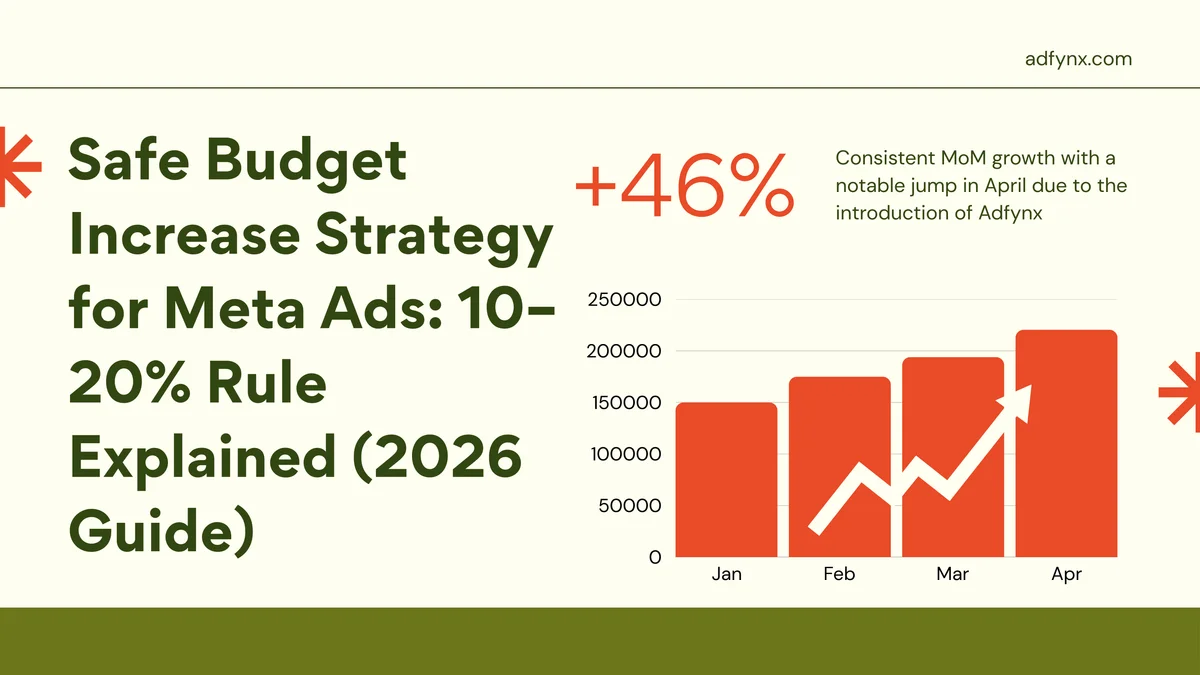
Safe Budget Increase Strategy for Meta Ads: 10–20% Rule Explained (2026 Guide)
Master safe Meta ads budget scaling with the proven 10-20% daily increase rule. Learn optimal timing (target region midnight), threshold limits (20% safe, 30-50% aggressive, >50% triggers learning reset), vertical vs horizontal scaling approaches, and when to break the rule for breakthrough scaling with broad targeting strategies.
Why ROAS Drops When Scaling Meta Ads: 5 Root Causes and Proven Solutions for 2026
Discover why your Meta ads ROAS crashes from 3.0+ to under 1.0 when scaling budget, and learn the proven 3-part framework to scale profitably: gradual budget increases (10-20% increments), audience expansion strategies (LAL progression, broad targeting), and creative rotation systems that maintain performance at scale.

Budget Up, Orders Flat, ROAS Down? You've Hit Meta's 'Daily Cycle Trap'
Increased budget but sales won't budge? Changed creatives but stuck at the same order volume? You're not doing anything wrong—Meta's algorithm has locked your account into a 'safe zone' and refuses to scale. Learn the 3 signals that prove you're trapped and the 2 verification methods to confirm your ceiling.
Subscribe to Our Newsletter
Get weekly AI-powered Meta Ads insights and actionable tips
We respect your privacy. Unsubscribe at any time.